Start by limiting harm and getting a clear picture of what has happened. Deleting the suspicious page or running one scan may remove a visible symptom without removing the cause.
This guide is for business owners deciding what to do next. The exact recovery work depends on the compromise, the hosting environment and the information available.
Confirm the warning through a trusted route
Signs can include unfamiliar pages, redirects, browser warnings, new administrator accounts or messages from your host. An unexpected email claiming your site is infected could also be a scam.
Open your hosting account using your normal saved address, or contact the provider through details you already trust. Do not install a “repair tool” or send login details simply because an unsolicited message tells you to.
Record the symptom, affected address and when you first noticed it. Screenshots can help, but do not bypass browser security warnings to investigate further.
Protect visitors and preserve evidence
If visitors are being redirected to harmful content or a shop’s checkout may be affected, ask the host or a qualified specialist to isolate the affected service promptly. Agree a safe temporary message and alternative enquiry route where appropriate.
Before cleaning, preserve a copy of the affected files and database and request relevant logs. Store an infected copy securely as evidence; do not treat it as a clean backup or run it elsewhere.
WordPress’s hacked-site guidance recommends documenting the incident, working with your host and keeping a snapshot before remediation. That helps avoid losing information needed to understand the compromise.
Secure more than the WordPress login
Use a trusted device to review access to hosting, WordPress, the domain account and the email used for recovery. Tell the specialist if you suspect the device itself is compromised.
Remove unauthorised access, review active sessions and rotate affected credentials in a coordinated way. WordPress access alone is not the full perimeter: someone controlling hosting or recovery email may be able to regain entry.
Use unique passwords and multi-factor authentication where supported. After the site and connected systems are clean, confirm credentials and access again. The NCSC’s recovery guidance is a useful reference for compromised online accounts.
Choose a recovery route deliberately
A known-clean backup may help, but first establish whether it predates the compromise and what would be lost by restoring it. An online shop may have received orders since that backup; blindly overwriting the database could remove legitimate business records.
Where a clean restore is unsuitable, a specialist may need to investigate and clean the installation or rebuild parts from trusted sources. Ask how the database, uploaded files, scheduled tasks and other sites on the same account will be assessed.
A useful scope should explain what is included, what remains uncertain and how the result will be checked. “Malware removed” is incomplete if the vulnerable component or stolen access remains available.
Check whether personal information was affected
A compromise can involve customer or staff information, even when the website still appears functional. Record what data may have been accessed, changed, lost or made unavailable and seek appropriate advice promptly.
Under UK data protection rules, a reportable personal data breach must generally be notified to the ICO without undue delay and, where feasible, within 72 hours of awareness. Not every website incident is reportable; the risk to individuals determines the assessment. High-risk breaches can also require informing affected people. Use the ICO’s breach reporting guidance rather than waiting until the technical cleanup is complete.
Verify the business functions after cleanup
Agree a handover check covering important pages, forms, checkout or booking functions and remaining security warnings. Test as an ordinary logged-out visitor as well as an administrator.
If a search engine or browser has flagged the site, follow its review process after resolving the issue. Search visibility and warning removal may not recover immediately.
Ask for a clear record of what was found, what changed and any follow-up work. If the initial entry point could not be established, that uncertainty should be stated.
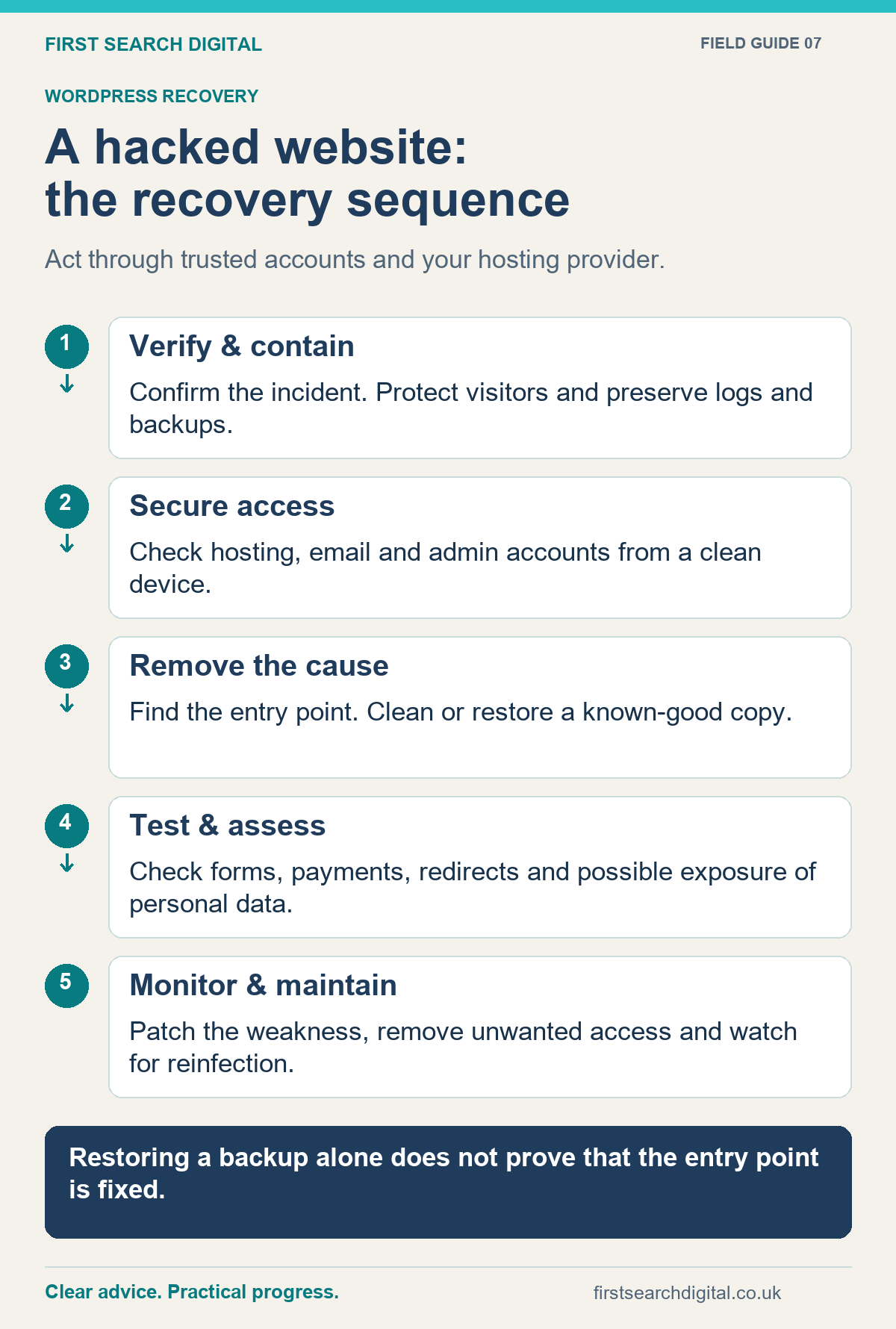
Text version of the infographic: A hacked website: the recovery sequence
A hacked website: the recovery sequence
Act through trusted accounts and your hosting provider.
Verify & contain — Confirm the incident. Protect visitors and preserve logs and backups.
Secure access — Check hosting, email and admin accounts from a clean device.
Remove the cause — Find the entry point. Clean or restore a known-good copy.
Test & assess — Check forms, payments, redirects and possible exposure of personal data.
Monitor & maintain — Patch the weakness, remove unwanted access and watch for reinfection.
Restoring a backup alone does not prove that the entry point is fixed.
Reduce the chance of another incident
Maintain supported software, remove unnecessary access and agree who owns updates and monitoring. Keep recoverable backups separate from the live site and test restoration. WordPress provides guidance on ongoing security and backups.
A security plugin can be part of the arrangement, but it does not replace maintenance or a recovery plan.
For help, see WordPress hack recovery. When you get in touch, send the website address, symptoms and hosting provider. Do not send passwords in the first email; access can be arranged securely once the scope is agreed.
Put this into practice
Once the affected site has been made safe, use the Website Launch Checklist to organise the checks around restoring normal service. It is not a malware scanner or a substitute for incident investigation.