A useful video can show how something works, introduce the person behind a business or explain a process that is difficult to describe in a photograph. But adding a large video to a page does not automatically make the page better.
Before choosing a hosting platform, decide what the video needs to achieve. Then choose a setup that lets visitors watch it easily without making everyone else wait, struggle with the controls or miss essential information.
For a small business, a clear two-minute explanation on the right page may be more valuable than an elaborate background film that nobody asked to watch.
Give the video a specific job
Start with a question customers already ask. A product demonstration might show scale or handling. A service introduction might explain what happens at the first appointment. A short tutorial might show an existing customer how to complete a task.
Write one sentence describing what the viewer should understand afterwards. If that sentence is vague, refine the brief before filming.
Also decide what happens next. The page might offer a relevant product, a written checklist or an enquiry route. A video should fit into the visitor’s task, rather than sit on the page simply because the business has paid to produce it.
Understand the three main hosting approaches
A public video platform
You can publish on a platform such as YouTube and embed its player on your website. This can be a sensible starting point when you want the video available both on your own page and through the platform.
Before choosing it, inspect the actual visitor experience. Check the branding, links away from your page, advertising behaviour, privacy options and player controls available for your particular setup. Platform features and policies change; do not choose solely from an old comparison chart.
A dedicated video-hosting service
A specialist host may suit a business that needs more control over presentation or a particular delivery workflow. Compare the current plans against your requirements rather than assuming that every paid host offers the same features.
Check storage and viewing allowances, caption support, domain restrictions, export access and what happens if you stop paying. Include recurring costs in the decision. A polished player is useful only if the arrangement remains manageable.
Serving the file through your own setup
Self-hosting gives you responsibility for the file, player and delivery. That can be appropriate when someone is prepared to manage encoding, browser compatibility, bandwidth, mobile playback and accessibility.
It is not necessarily the simplest or cheapest choice just because your website already has a media library. Ask your developer or host how the proposed video will be delivered and tested before uploading a large original camera file.
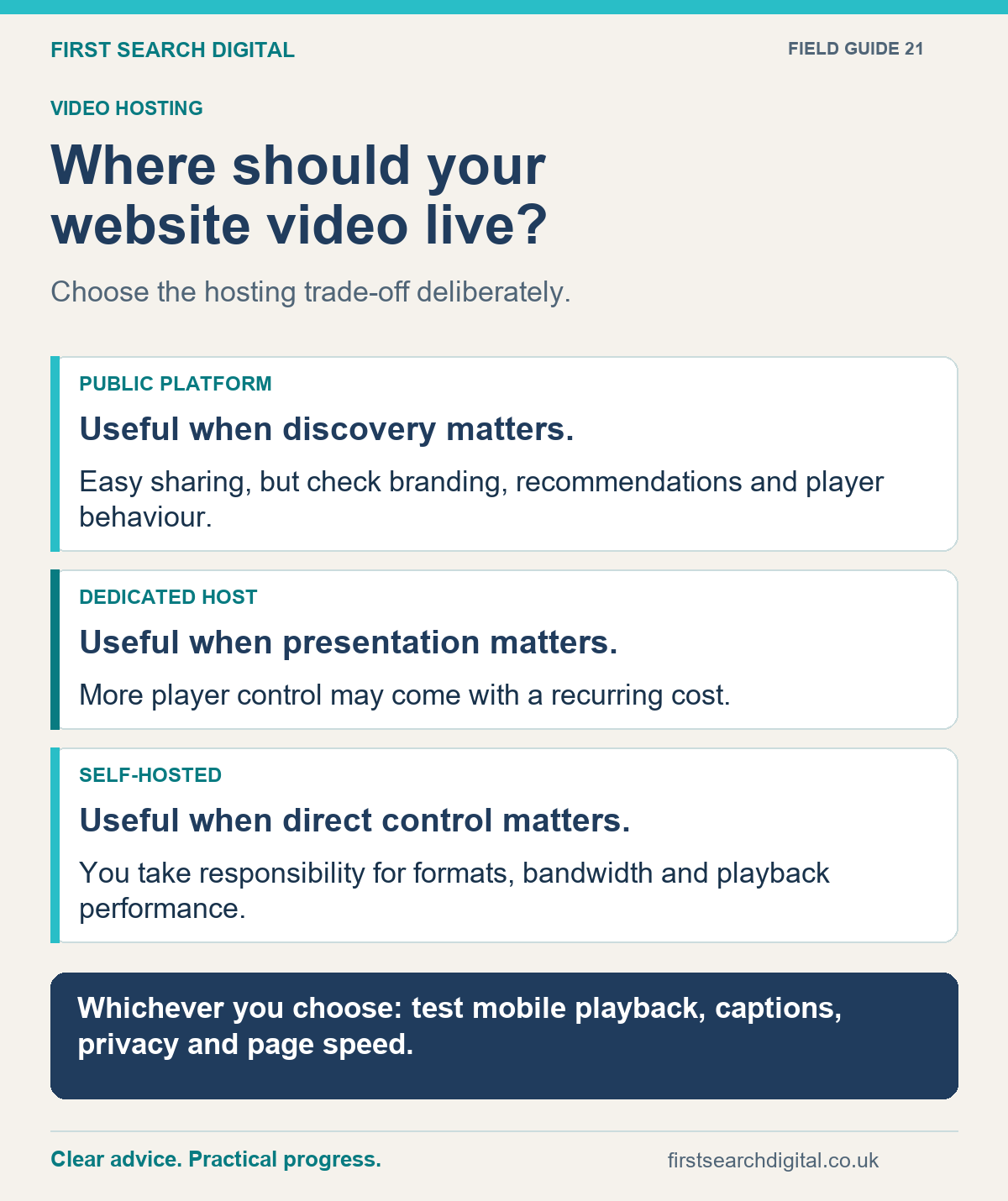
Text version of the infographic: Where should your website video live?
Where should your website video live?
Choose the hosting trade-off deliberately.
PUBLIC PLATFORM — Useful when discovery matters. — Easy sharing, but check branding, recommendations and player behaviour.
DEDICATED HOST — Useful when presentation matters. — More player control may come with a recurring cost.
SELF-HOSTED — Useful when direct control matters. — You take responsibility for formats, bandwidth and playback performance.
Whichever you choose: test mobile playback, captions, privacy and page speed.
Protect the rest of the page
The written explanation, navigation and enquiry route should remain usable before anyone presses play. Avoid making the video the only way to discover the price, understand the service or find the next step.
For a supporting video, consider a lightweight poster image and a player that loads when needed. Reserve the player’s space so content does not jump as it appears. Keep the thumbnail clear at mobile size and use an honest frame from the content rather than an unrelated attention-grabbing image.
Test the finished implementation on a phone and an ordinary connection. Check the first load, pressing play, pausing, rotating the device and returning to the page. Compare the page with and without the player so you can see what the addition costs in loading time.
If video discovery in search is an objective, involve that requirement in the loading decision. A setup that hides the video from crawlers until an interaction may conflict with your indexing goal. Performance and discoverability need to be considered together.
Plan captions and useful alternatives
Captions should include the speech and meaningful sounds. Review automatic captions, particularly names and technical terms. Provide a useful transcript, and make sure important visual information is explained through description or an appropriate descriptive alternative. Choose a player people can operate accessibly.
The W3C guide to accessible audio and video explains these components and why they should be planned before recording. A transcript alone does not solve every accessibility need.
A practical filming improvement is to say what you are doing rather than relying on “click here” or silently pointing. This also makes the explanation clearer for someone watching on a small screen.
Avoid unexpected audio. Give the visitor control over whether and when to play the video, particularly on a service page they may be browsing at work or on public transport.
What video SEO can and cannot do
Google distinguishes pages where watching the video is the main purpose from pages where video supports other content. A product page containing a demonstration can still appear as a text result, but it is different from a dedicated watch page for video features.
Google can discover third-party embedded videos, subject to its requirements. A stable thumbnail and appropriate video information help it understand the content; structured data does not guarantee a particular search appearance. See Google’s video SEO guidance before building a dedicated video section.
Do not expect a ranking improvement merely because visitors can press play. Judge the video by whether it answers a real question, helps a decision or reduces confusion. A weak page with a decorative film is still a weak page.
Check what the player loads
An embedded player can bring in third-party requests and other behaviour beyond the visible video. Ask whoever implements it to check the actual configuration, including what loads before and after playback.
Do not assume that a label such as “privacy enhanced” means nothing is ever stored or sent. Your site’s privacy information and any consent arrangements need to reflect the setup you actually use. If the player is blocked until a visitor makes a choice, provide a clear explanation and keep the surrounding page useful.
Keep a copy of the original video, captions and thumbnail. Record which account controls the published version so you can update or move it when needed.
A short brief before you commission the work
- What customer question will the video answer?
- Which page will use it, and is it the main content or supporting material?
- Who owns and can access the hosting account and source files?
- How will captions, description and a transcript be provided?
- What will load before the visitor chooses to watch?
- How will the mobile experience and page speed be checked?
- What action should the viewer be able to take afterwards?
If you already have videos and are unsure how best to use them, I can help with the website side. If the page has become slow, we can review the implementation as part of WordPress speed support before you spend money replacing the content.
Put this into practice
Planning a video page? Use the Website Launch Checklist to organise the wider checks around mobile use, essential content and launch readiness.