The best place to start with AI is a repetitive task that you understand well enough to check. A tool should make a real job easier, not create another system you have to feed and supervise without a clear benefit.
For a small business, the useful question is not “How do we use more AI?” It is “Where are we losing time, and what is a sensible way to reduce that?” Sometimes the answer is AI. Sometimes it is a better template, a form or an ordinary automation.
Distinguish AI from a simple rule
A rule can send a reminder when a date is reached or route a form according to a selected service. Those tasks may not require a generative model at all.
AI can help when the input is less structured, such as turning rough notes into a first draft or grouping questions into themes. Its flexibility also introduces uncertainty: a plausible output can contain an incorrect detail.
Use the least complicated approach that does the job reliably. Adding AI to a task with a clear deterministic rule can make it harder to test and maintain.
Look for a suitable first task
List activities you repeat over a normal week. Note how often they occur, the time they take and what makes them frustrating. Good candidates have a clear input, a recognisable acceptable output and a low cost if a draft needs correcting.
Turning your expertise into a first draft
You could provide approved notes about a service and ask for a draft FAQ, then check every claim before using it. The value comes from organising your knowledge, not inventing experience or replacing it with generic copy.
Preparing routine responses
A system might suggest a reply using approved service information. A person should check the customer’s circumstances and approve commitments about price, availability or scope. Begin with draft assistance before considering automatic sending.
Organising non-sensitive information
Grouping public product descriptions or identifying repeated themes in appropriately prepared feedback can save sorting time. Test the categories on a sample before allowing them to drive decisions.
Building reusable internal instructions
AI can help turn your own process notes into a checklist. Someone who performs the task should then follow it and identify missing steps. A neat checklist that fails in practice has not saved work.
Be more careful where errors have consequences
Payments, changes to live systems, sensitive customer messages and decisions affecting people need stronger controls. A confident answer is not evidence that the system has understood the context.
Start with a person reviewing the output before any consequential action. Give that person enough information, time and authority to reject it. Merely adding an approval button does not make the review meaningful.
If a task affects legal, financial, employment or other high-stakes decisions, get appropriate specialist input before deploying automation.
Decide what information the tool may receive
Do not paste customer records, passwords or confidential documents into a service without checking whether that use is appropriate and authorised. Review the provider’s settings and terms for retention, training, access and processing.
Use invented examples or properly anonymised material for early tests. Removing names alone may not anonymise information if other details still identify someone.
The ICO’s AI and data protection guidance explains that data protection responsibilities still apply when AI processes personal information. Tool convenience does not remove those responsibilities.
Calculate the saving after review and maintenance
Imagine a task takes 15 minutes and occurs eight times a week: two hours in total. If a draft takes two minutes to produce but another eight to check and correct, the saving is five minutes per task, or 40 minutes a week.
That is an illustrative calculation, not a typical result. You still need to account for setup time, subscription costs, training and future maintenance. A tool that saves a little time on a rare task may not justify a complex integration.
Measure the actual complete process. Include failed attempts and difficult cases rather than timing only the best demonstration.
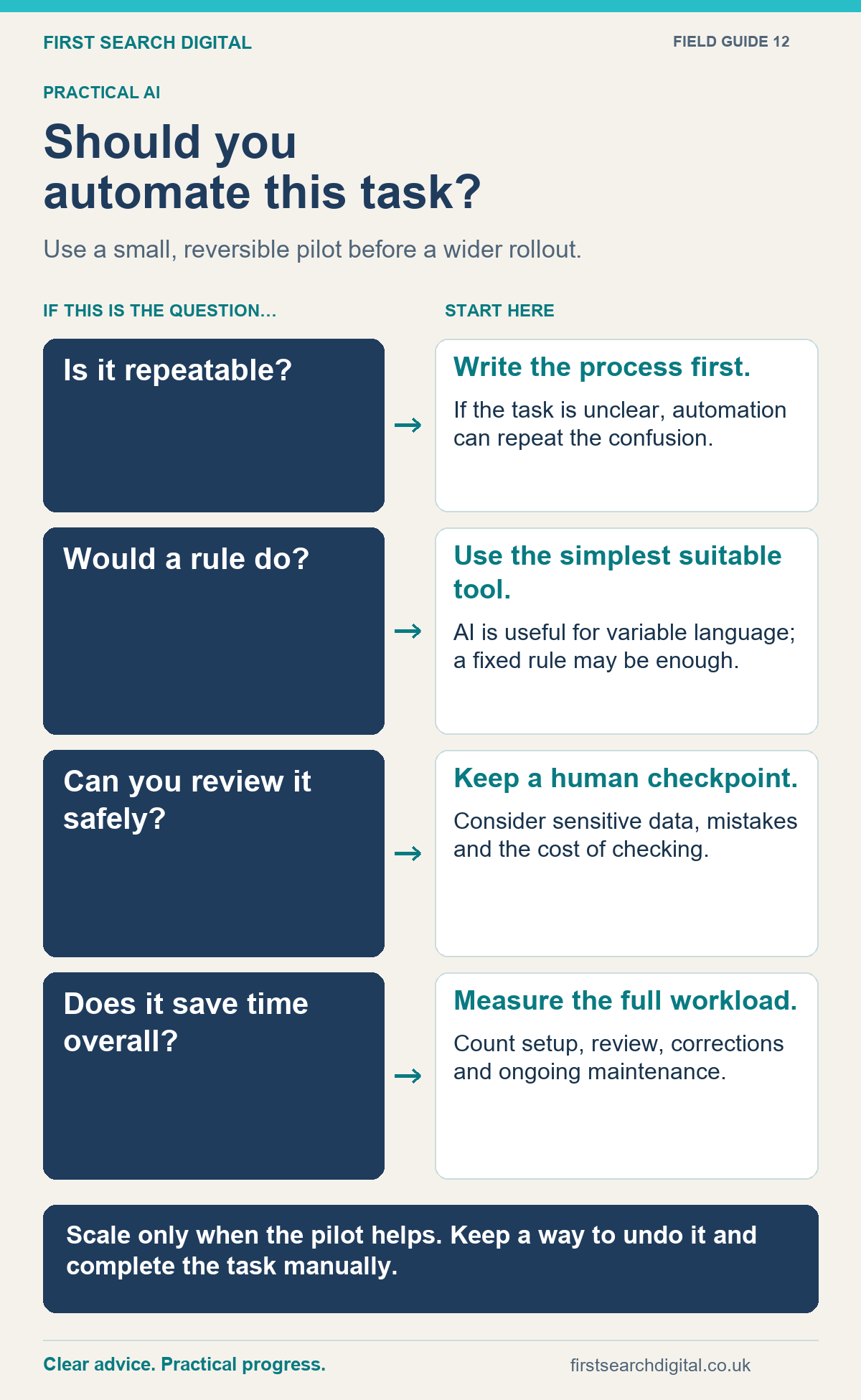
Text version of the infographic: Should you automate this task?
Should you automate this task?
Use a small, reversible pilot before a wider rollout.
Is it repeatable? — Write the process first. — If the task is unclear, automation can repeat the confusion.
Would a rule do? — Use the simplest suitable tool. — AI is useful for variable language; a fixed rule may be enough.
Can you review it safely? — Keep a human checkpoint. — Consider sensitive data, mistakes and the cost of checking.
Does it save time overall? — Measure the full workload. — Count setup, review, corrections and ongoing maintenance.
Scale only when the pilot helps. Keep a way to undo it and complete the task manually.
Run a small, reversible pilot
- Choose one task and record the current process.
- Define acceptable output and the mistakes that matter.
- Use a representative sample, including awkward cases.
- Keep human approval and a manual fallback.
- Compare quality, total time and costs.
- Document who maintains the system and when it should stop.
Expand only when the evidence supports it. A useful pilot may also conclude that an ordinary template is enough.
Make the work fit the business
My AI and automation support starts with the process and the people using it. We can combine a focused review, implementation and practical training.
If a recurring task is taking too much time, tell me what goes in, what needs to come out and where it gets difficult. That is a more useful starting point than choosing a tool first.
Put this into practice
Some repetitive jobs need a small utility rather than AI. For example, LinkSweep copies selected links into your notes or spreadsheet, while the free tools collection covers other routine website checks.