Not appearing on Google Maps can mean several different things. Your profile might be missing, restricted or still awaiting verification. Or it may appear when someone searches for your name but not rank prominently for a service.
Those situations need different responses. Start by identifying which one you have before changing the profile or paying someone to improve it.
Is the profile missing, or simply hard to find?
Search for your exact business name and location, then inspect the profile through the Google account used to manage it. Look for verification requests, restrictions or information needing attention.
If the listing exists but you cannot manage it, investigate account access or ownership rather than creating another listing immediately. A duplicate can complicate the problem.
If you can find the business by name, move on to the service searches that matter. Record the search, the location from which you checked and the date. One result on your own phone is not a complete picture of what every customer sees.
Check whether the business is eligible
Google Business Profiles are intended for eligible businesses that meet customers in person, either at a qualifying location or by travelling to them. Online-only businesses are generally not eligible. Google’s business representation guidelines explain the requirements.
Use the real business name and an accurate address or service area. If customers do not visit your address, check the service-area rules and hide the address where required. A virtual office or a town added to your name is not a legitimate shortcut to local visibility.
For a suspended profile, address the stated issue and use the official resolution process. Repeatedly creating replacements can make matters harder to untangle.
Understand the three broad local ranking factors
Google describes local ranking in terms of relevance, distance and prominence. Its local ranking guidance also says there is no way to request or pay for a better organic local ranking.
Relevance concerns how well the business matches the search. Distance relates to the searcher’s location or the location understood from the search. Prominence reflects how well known the business is, including information such as links and reviews.
You can improve the accuracy and usefulness of your information. You cannot make a real location equally close to every customer. Adding many towns to a service area does not guarantee strong rankings in all of them.
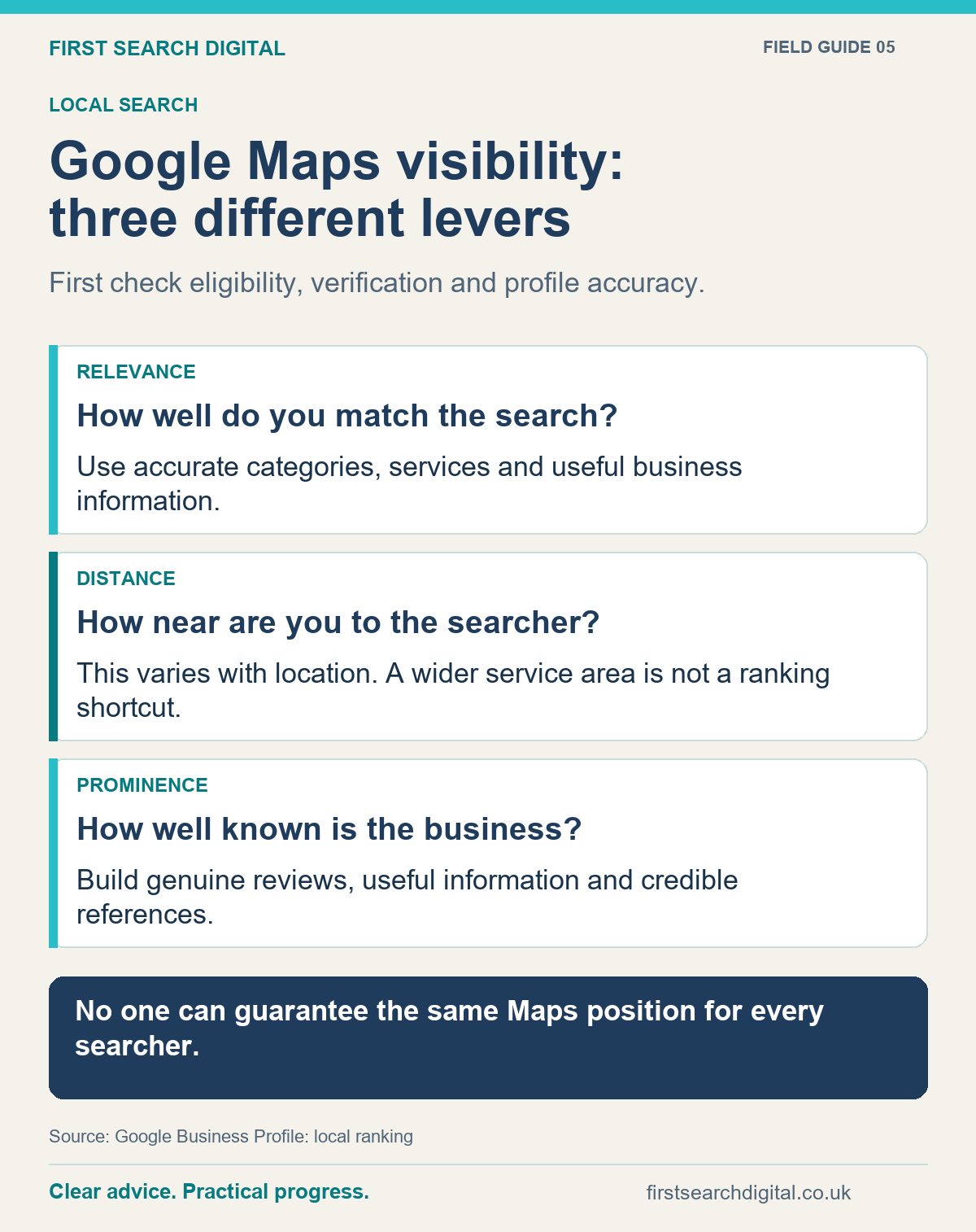
Text version of the infographic: Google Maps visibility: three different levers
Google Maps visibility: three different levers
First check eligibility, verification and profile accuracy.
RELEVANCE — How well do you match the search? — Use accurate categories, services and useful business information.
DISTANCE — How near are you to the searcher? — This varies with location. A wider service area is not a ranking shortcut.
PROMINENCE — How well known is the business? — Build genuine reviews, useful information and credible references.
No one can guarantee the same Maps position for every searcher.
Sources: Google Business Profile: local ranking.
Check the profile against the business you run today
Review the primary category carefully: does it describe the main business? Add genuinely relevant supporting information, including services, opening hours and the correct website.
Then check for contradictions. A profile offering one service while the linked page describes something else gives customers an unclear experience. Photographs and updates should reflect real work and current circumstances.
Do not stuff the business name with keywords, invent locations or describe services you do not provide. The aim is an accurate, useful profile that someone can rely on.
Look beyond the listing
A customer may visit your website to understand whether you are suitable. Give each important service enough explanation to answer practical questions: what you do, whom you help, where you work and how to enquire.
Location content should be based on genuine service coverage and useful detail. Producing near-identical pages for dozens of towns can leave readers with little information beyond a changed place name.
Check relevant directories and profiles for outdated information too. Prioritise places customers actually use; a long spreadsheet of low-value directory submissions is not itself a business outcome.
Build reviews honestly
Invite genuine customers to share their experience without offering rewards or selecting only those expected to leave praise. Respond professionally, including when feedback is difficult. Do not buy reviews or ask people without a real customer experience to manufacture them.
Reviews also help the person choosing a provider. Their value should not be reduced to an assumed formula for rankings. Google’s Maps contribution policy explains restrictions on fake and incentivised engagement.
Use a focused diagnostic checklist
- Confirm the business is eligible and the correct profile exists.
- Check verification, restrictions and management access.
- Review the name, category, address or service area, hours and website.
- Compare exact-name visibility with relevant service searches.
- Check the linked website and important customer information.
- Record suitable enquiries as well as profile activity.
If performance changed suddenly, record recent edits, moves or ownership changes before making more adjustments. That history is useful evidence for whoever investigates.
For a structured review, see SEO and local search support in Sussex. If you send me the business name, website and what you are seeing, we can agree the next useful check.
Put this into practice
Use BusinessCheck to look for inconsistent contact details and broken links on your website. Check your Google Business Profile separately using the guidance above.